
PRACTICAL GUIDE · FIELD OPERATIONS
Field asset management: from inspection to completed work
Keep the next step connected.
A practical workflow for councils, infrastructure operators and the contractors who maintain their assets.

IN THE FIELD / Keep the asset in view
THE CONNECTION THAT MATTERS
The inspection is useful.
The follow-through matters.
A crew finds a damaged footpath. The photograph is clear, but the location needs checking, no one has been assigned the repair and the supervisor cannot see whether temporary controls are in place. Recording the problem was only the first step.
What is field asset management?
Field asset management connects onsite inspections, asset condition, defects and maintenance work to the organisation’s asset records. It gives field teams the context to do the job and office teams the evidence to assess, assign, verify and plan the next action.
For roads, parks, drainage and facilities, the practical goal is a traceable journey from finding to response. A map pin, photograph and job status should help the next person act without rebuilding the story through phone calls or separate files.
ONE RECORD. A CLEAR NEXT STEP.
Five steps from
finding to follow-through.
Use these steps to review an existing workflow. Agree responsibilities and response rules with the people who inspect, schedule, deliver and accept the work.
01
Prepare the job
Give the inspector or crew the asset, location, task, relevant history and required evidence. Confirm access arrangements and any site-specific instructions before travelling.
02
Inspect and record
Confirm the asset in the field. Record the finding, condition or defect, with photographs and enough location detail for another person to find it. Flag uncertainty instead of choosing an asset that only looks close.
03
Review and assign
A responsible person checks the finding and applies the organisation’s priority and response rules. Record the owner, required action and due date. Escalate urgent hazards through the established response process.
04
Carry out the work
Give the delivery team the agreed scope and relevant evidence. Capture progress, completed work and any access, material or site constraint. If the job cannot be finished, record what remains and who needs to act.
05
Verify and learn
Check the completion evidence against the agreed scope before closing the work. Retain the asset history and review repeat findings, unresolved defects and patterns that may need a different maintenance response.
A useful handover test: can the next person identify the asset, understand the finding, see their responsibility and know what evidence is needed to finish?
CAPTURE WHAT SOMEONE ELSE WILL NEED
A short form.
A usable record.
Start with the information needed to make the next decision. Add specialist fields where the asset or task requires them; review fields that crews complete but nobody uses.
01
Asset and location
Use the asset identifier, map location and a useful landmark or component description. Check the selected asset against what is physically there.
02
Finding and extent
Describe what was observed. Apply agreed categories and record relevant dimensions or condition details using consistent units.
03
Photographic context
Include an overview to locate the issue and a closer image to show the detail. Record measurements where the assessment depends on scale.
04
Time and observer
Retain when the inspection occurred and who recorded it. Distinguish the time of observation from a later upload.
05
Immediate action
Record any action or temporary control taken under the organisation’s procedures, along with limitations that still need attention.
06
Owner and next step
Make the review or response responsibility clear. A saved observation still needs an agreed destination and action.
PLAN FOR THE CONDITIONS ON SITE
No reception should be
part of the workflow test.
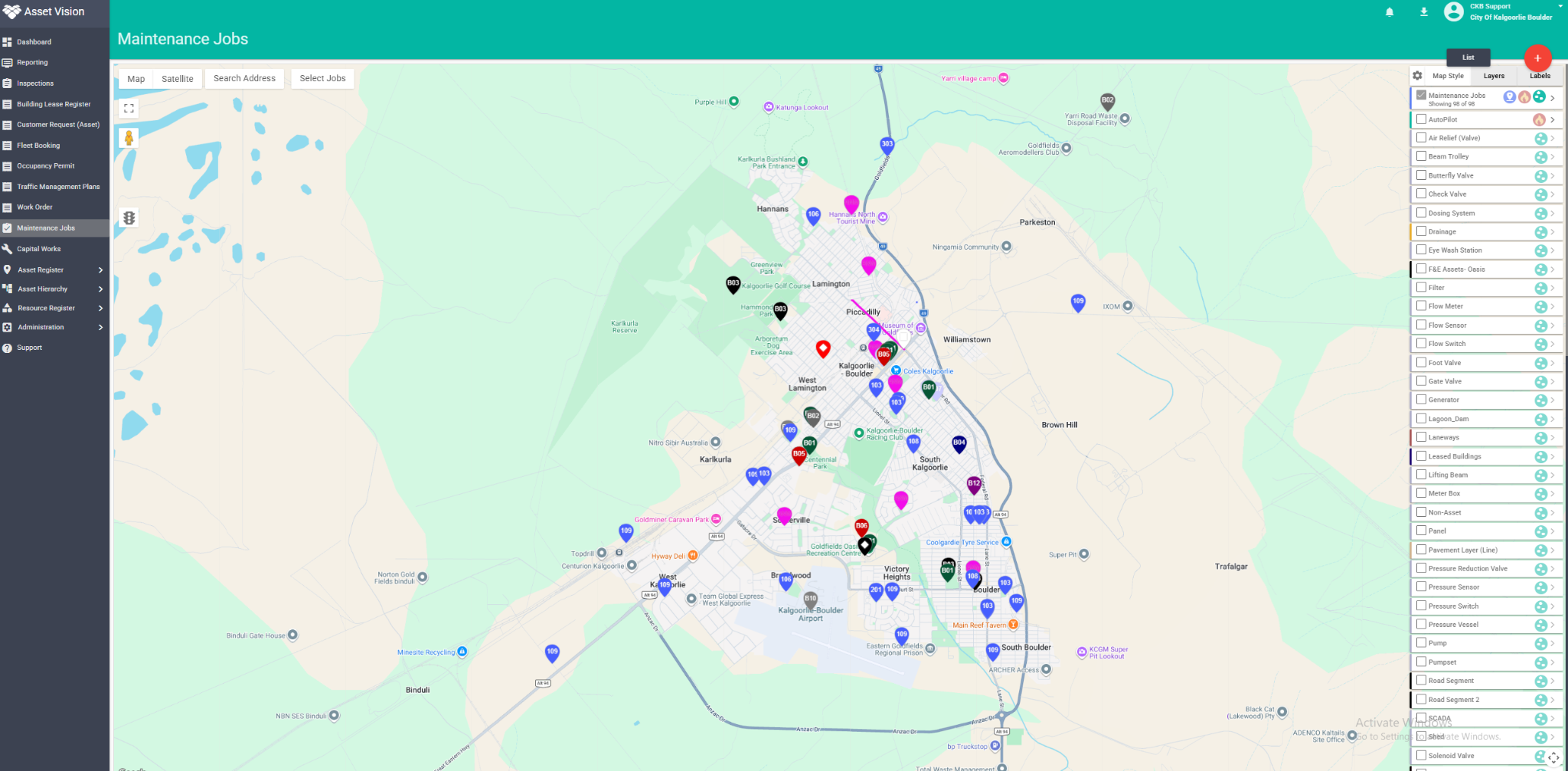
Field teams may move between connected and disconnected areas during a shift. Test the entire task under those conditions, including access to the information needed before work begins.
- Before leaving: confirm the assigned work and required asset information are available on the device.
- While offline: capture the required record and evidence; make it clear what is still waiting to upload.
- After reconnecting: confirm records and attachments arrived, resolve exceptions and check what the office can see.
Agree the urgent-response channel
An offline record is not an immediate notification to the office. Use your organisation’s established escalation process when a finding needs urgent action.
Asset Vision’s mobile app supports offline field work and synchronises when connectivity returns. Confirm the required data, task types and device preparation during configuration and testing. [1]
MAKE CLOSURE MEAN SOMETHING
“Done” needs
the evidence behind it.
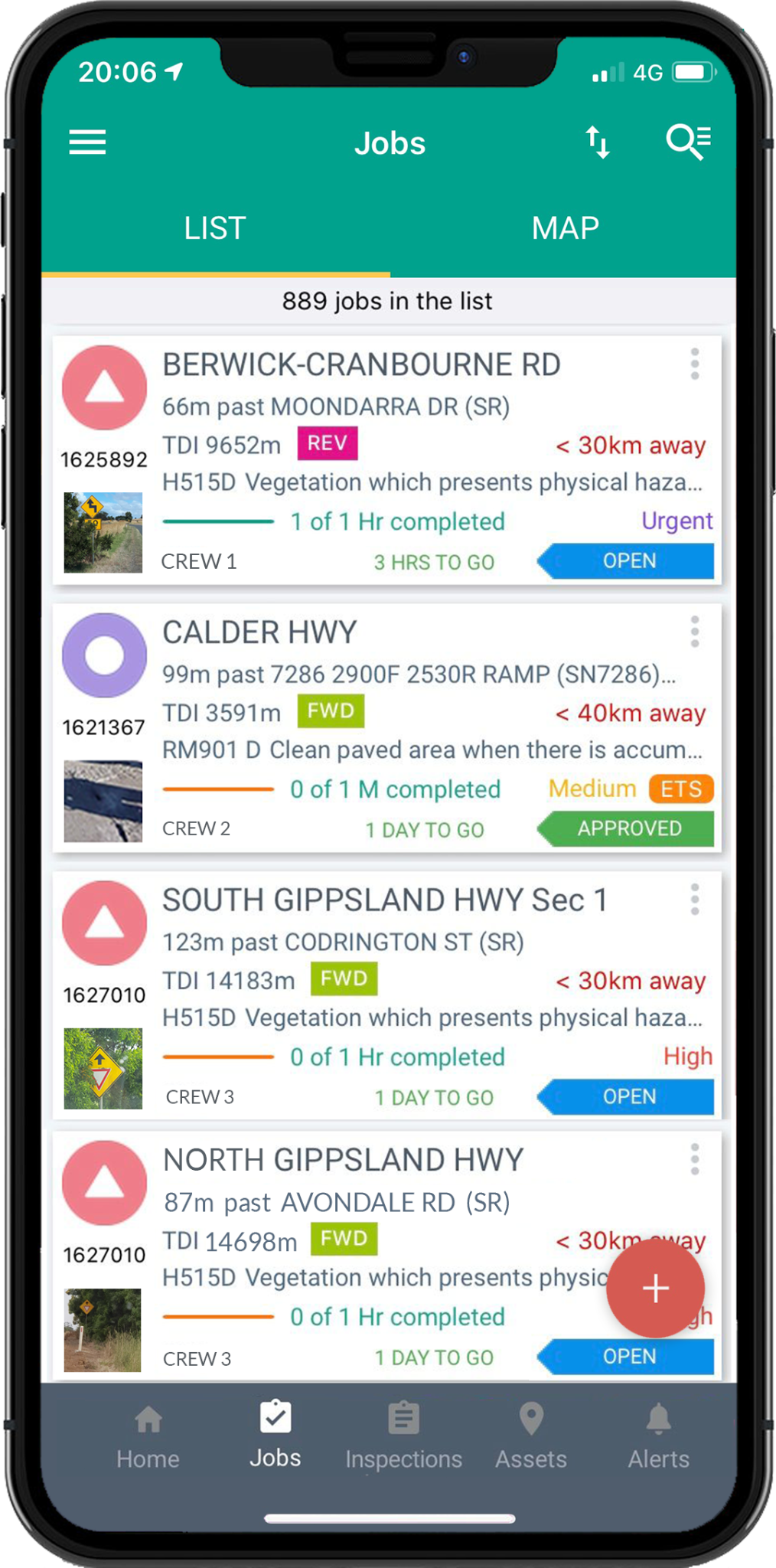
Agree what the supervisor needs to accept each type of work. This might include completion photographs, quantities, labour or materials, checks performed and a note explaining anything left unresolved.
HARD TO VERIFY
“Drain cleared.”
A completion tick with no asset reference or photographs leaves the reviewer to ask which inlet was cleared, what was removed and whether anything still needs attention.
READY FOR REVIEW
A clear record
of the work.
The record identifies the drainage inlet, work performed, completion time and crew. Before-and-after photographs show the result. Damage discovered during cleaning is linked to a separate follow-up task.
Illustrative drainage example, not a customer result. The required evidence and acceptance process depend on the task.
Keep “work recorded as complete” and “accepted and closed” distinct where review is required. If a job is reopened or only partly completed, preserve that history so later reports remain understandable.
HOW ASSET VISION HELPS
Connect the field task
to the asset and the office.
Asset Vision brings mapped asset records, inspections, maintenance work and reporting into a shared platform. The value is in the connection: a finding can retain its asset context as teams review it, allocate work and record the outcome. Configure those steps around your operating responsibilities. [1, 2]
REGULAR FIELD TEAMS
Mobile app
For staff who need assigned work and inspection workflows in the field, including offline operation. Test the tasks and information required for their working day.
DEFINED TASKS AND REPORTS
AV Go
A separate mobile-browser entry point for reporting an issue or completing assigned work. Links and configured forms retain context without requiring an app download or full Asset Vision account. Explore AV Go ↗
ROAD AND PATHWAY
AutoPilot
Road imagery and potential defect review can inform follow-up. AV Smart Button adds spoken observations within the AutoPilot workflow. Agree how findings are reviewed and actioned. Explore AutoPilot ↗
Choose the access method for the person and task. AV Go is browser-based; offline field work is a separate mobile-app capability. [1, 3]

IN COUNCIL PRACTICE
Moyne Shire Council
Moyne’s published case study describes inspectors using loaded routes and mobile network views, with inspection reports generated automatically. Its use expanded from roads into other council assets.
For wider context, explore Asset Vision for local government or the asset and works management capabilities.
START WITH ONE CREW
Improve one workflow.
Then expand it.
Choose a manageable asset group and include an inspector, a scheduler, a delivery crew and the person who accepts the work. Use a normal job, an offline job and a job that cannot be completed as planned.
Agree the record, responsibilities and closure evidence, then run the workflow through to the office report. Capture where people need clarification or repeat entry before rolling it out more widely.
01
Record completeness
How many jobs contain the agreed asset, location and evidence without someone chasing missing detail?
02
Handover time
How long does a finding wait for review or assignment? Track urgent and routine work separately.
03
Closure quality
How many completed jobs pass review first time? Check why work is returned or reopened.
04
Recurring findings
Which assets repeatedly need attention? Review their history before deciding whether the response should change.
Set a baseline and agree definitions before comparing results. These are suggested operational measures, not promised outcomes or a claim that every measure is a preconfigured Asset Vision report.
COMMON QUESTIONS
A few practical answers.
How is field asset management different from collecting inspection data?
Inspection data records what was found. A complete field workflow also identifies who reviews the finding, what response is required, who carries out the work and what evidence closes it. That history should remain connected to the asset.
Can contractors contribute without using the full mobile app?
AV Go supports browser-based access to defined reporting and work-completion tasks. Agree the permitted scope, required fields and review process. Use the mobile app where the workflow requires offline field capability.
Should every inspection automatically create a repair job?
Set rules around the finding and your operating process. Some observations require review, monitoring or a specialist assessment before a work order is appropriate. Record the decision and the responsible person so the finding is not left without a next step.
Sources and further reading
- [1] Asset Vision for local government: field delivery and offline working
- [2] Asset Vision capabilities: asset records, maintenance and field mobility
- [3] AV Go: reporting and defined work through a mobile browser
- [4] Moyne Shire Council case study
The workflow, drainage example and pilot measures are practical guidance. Configure records, responsibilities and response rules for your organisation and confirm the required product scope with Asset Vision.
FROM THE FIELD TO THE OFFICE TO ACTION
Bring one inspection.
Follow it through to completion.
See how Asset Vision can connect your field teams, asset records and maintenance workflow.
Start with the work your people do.