CAPABILITIES / AUTOPILOT
Smarter inspections.
From capture
to action.
Capture road and pathway imagery automatically. Record observations with the AV Smart Button. Use AI-assisted detection, Ride Quality and visual history to understand condition and organise the right response.
Roads & pathways • Offline capture • Connected to the work
Safer field capture
Reduce manual device interaction and the need for roadside stops.
More efficient review
Find areas needing attention through imagery, AI & Ride Quality.
Stronger evidence
Keep a visual history linked to location, inspection & capture time.
Targeted maintenance
Turn verified findings into practical, prioritised follow-up work.
ONE CONNECTED INSPECTION WORKFLOW
From the road to the right response.
01
Capture
Record corridor imagery and add observations with the AV Smart Button.
02
Understand
Review AI detections, Ride Quality, playback and historical imagery.
03
Verify
Assess potential issues and determine their significance and priority.
04
Act
Create appropriate work and connect the evidence to maintenance delivery.
AUTOMATED CAPTURE
A visual record,
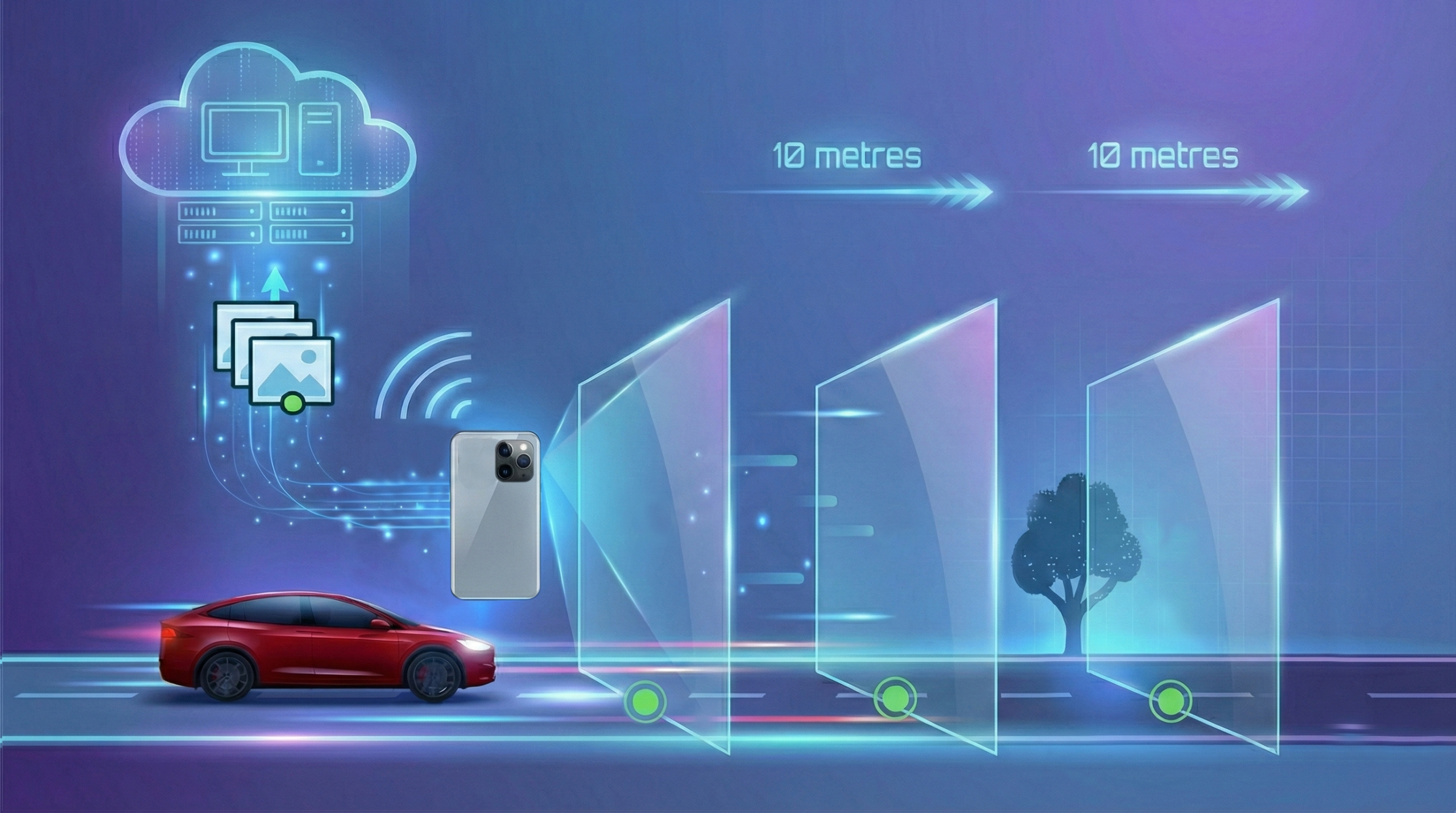
every 10 metres.
A mounted iPhone captures forward-facing road and pathway imagery as the inspection route is driven. Each image keeps the context your team needs for review and follow-up work.
- GPS coordinates, date and time retained with the imagery.
- Images linked to the asset and inspection for playback.
- Offline capture, with upload when connectivity returns.
- A visual history available for future evidence review.
Plan the route
Define assets, direction and inspection frequency.
Track progress
Follow inspection progress as the route is driven.
See your coverage
Identify sections that remain uninspected.
AV SMART BUTTON
Mount. Press. Speak.
Record what you see and keep your focus on the road.
Mount.
Mount your iPhone with a clear view of the road ahead and attach the AV Smart Button to your steering wheel.
Press.
Drive your inspection route and press the AV Smart Button when you spot a defect or point of interest.
Speak.
Follow the voice prompt and describe what you have identified. Spoken notes become text, with keywords supporting configured classification
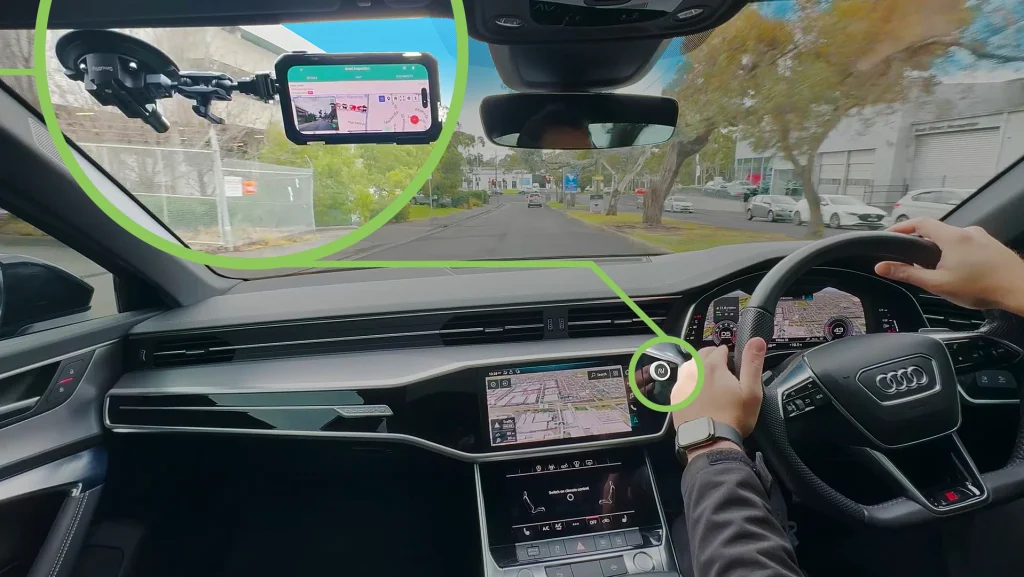
The observation stays with the asset.
The record captures photographs, location and your comments, ready for your team to review and act.
AI-ASSISTED DEFECT DETECTION
Find the areas
that need a closer look.
AutoPilot analyses uploaded imagery and highlights potential defects for review. Navigate directly to the findings, assess the evidence and decide what action is required.
Potholes • Cracking • Crocodile cracking
Edge defects • Leaning guideposts • Bleeding / flushing
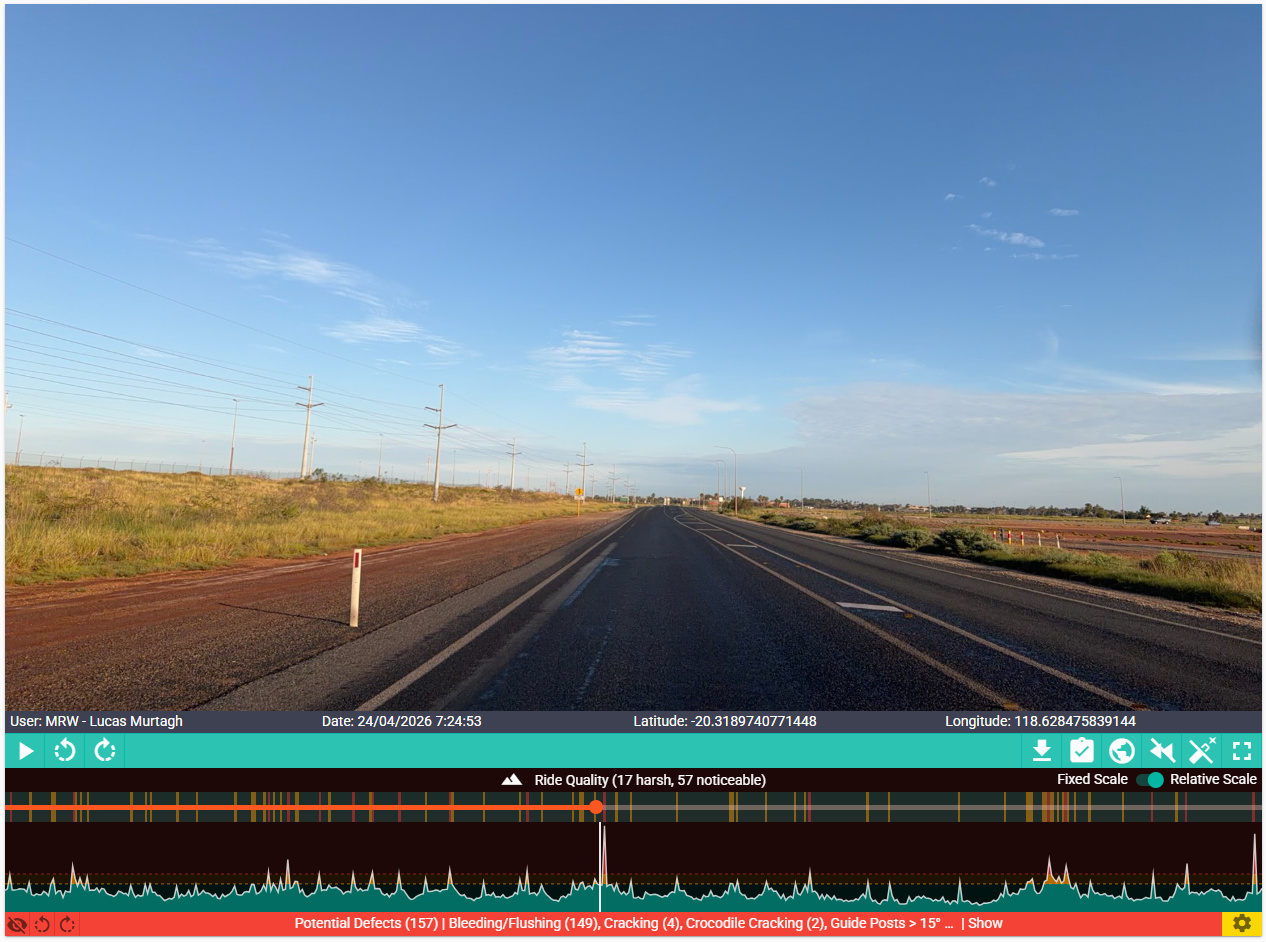
Ride Quality indicators and playback help reviewers jump to uneven sections.
RIDE QUALITY INSIGHTS
See the surface.
Understand the ride.
Accelerometer readings from the inspection drive show where the road felt smooth, uneven or bumpy. Review that information alongside imagery, location and potential defects.
Fixed scale
Compare readings against general smoothness thresholds.
Relative scale
Identify outliers against the average of that inspection.
An additional layer of evidence to target investigation, maintenance and renewal assessment.
HISTORICAL EVIDENCE & ADDITIONAL VIEWS
A clearer view today.
A record you can revisit.
Build a location-linked visual history of your network. Compare available imagery over time and explore an additional perspective when reviewing corridor condition.
Rewind: compare condition over time.
Select an area and retrieve retained imagery from previous inspections. Investigate deterioration, review pre-event condition and compare changes following works.
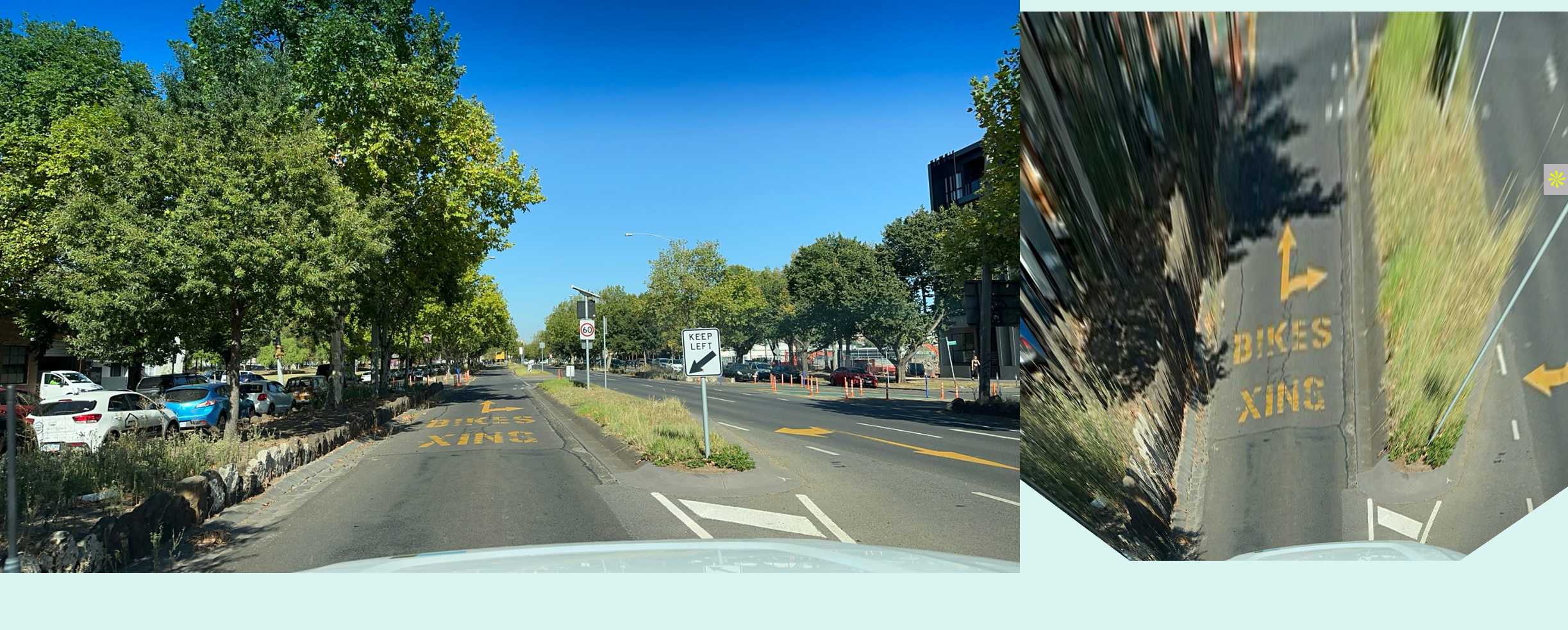
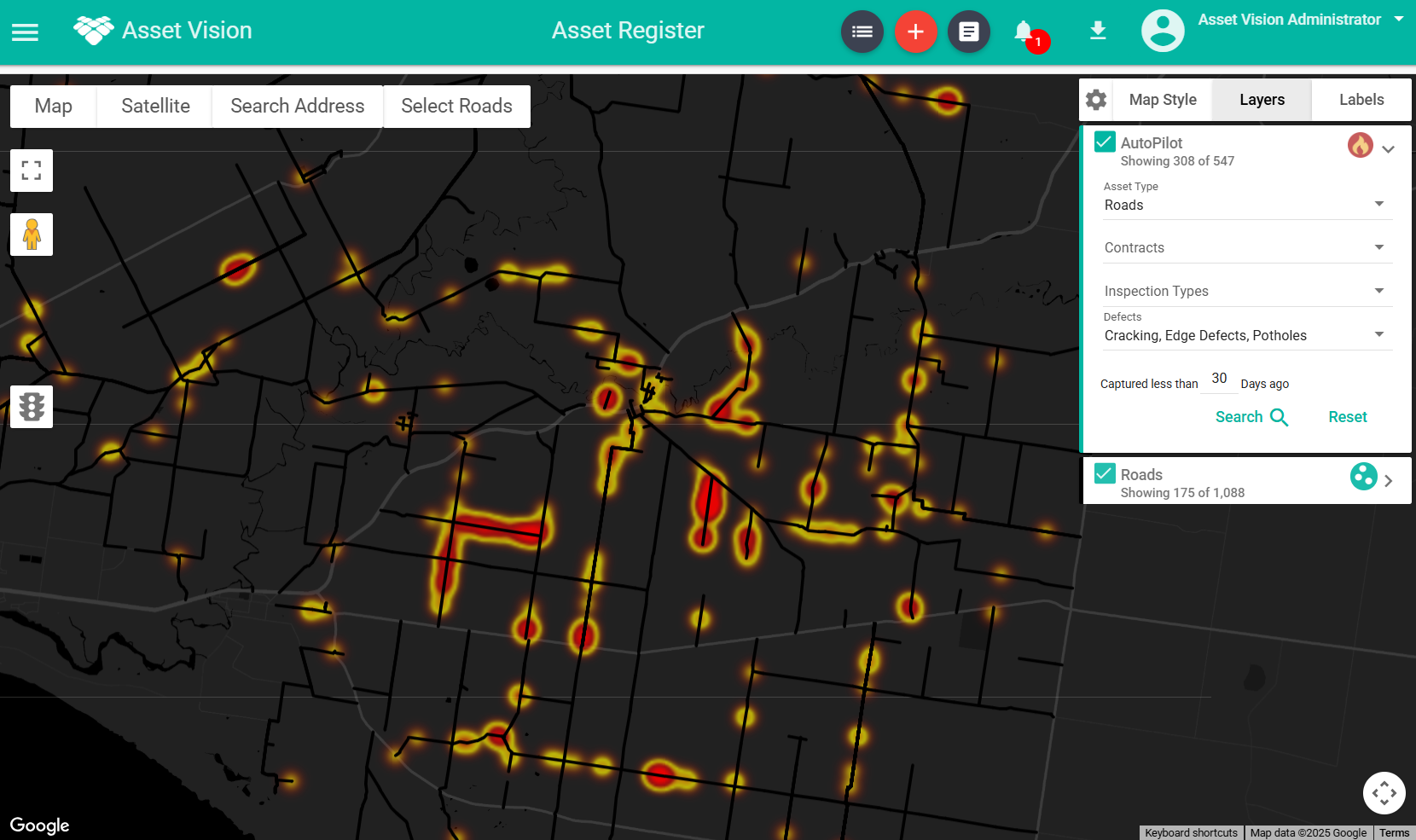
Heatmaps view help focus review on concentrations of potential defects.
PLAYBACK & NETWORK INTELLIGENCE
From one location
to the wider network.
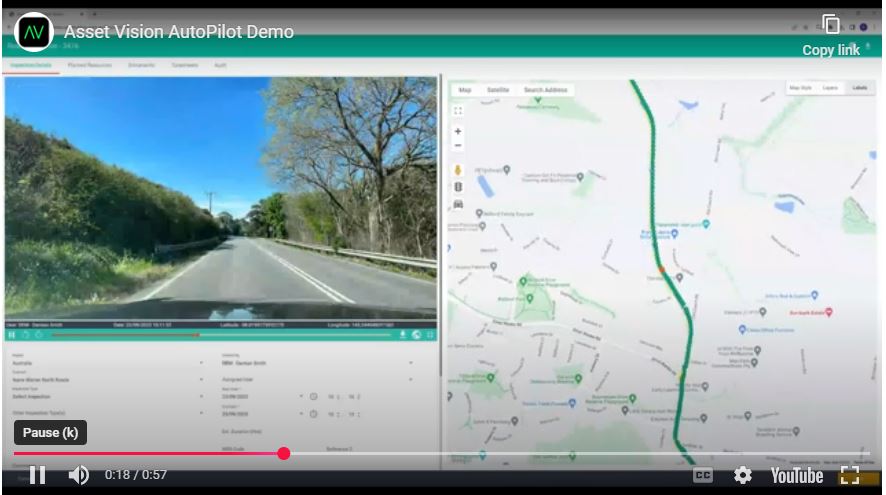
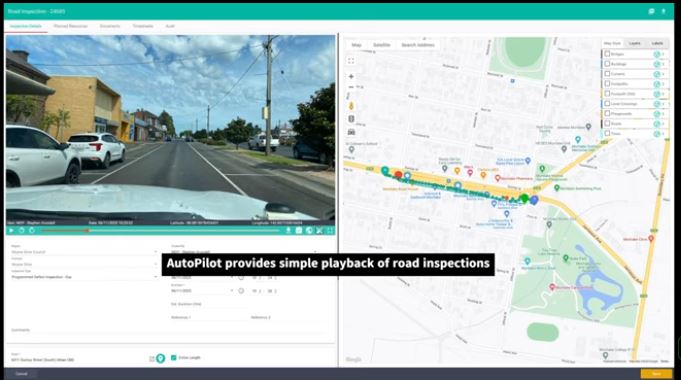
Move between detailed inspection playback and a combined network view to investigate issues at the scale that matters.
- Navigate imagery by map, timeline or image sequence.
- Filter heatmaps by defect category, period or inspection source.
- Retrieve available imagery for enquiries and targeted assessment.
- Extract photographs with location and capture-time metadata.
VERIFIED FINDINGS. CONNECTED WORK.
Your team decides
what happens next.
Review potential detections, confirm the issue and select the right classification and priority. Create follow-up work with the relevant inspection evidence attached.
- Group related findings into one practical work record.
- Assign confirmed work to the appropriate crew or contractor.
- Keep the inspection, asset and evidence connected.
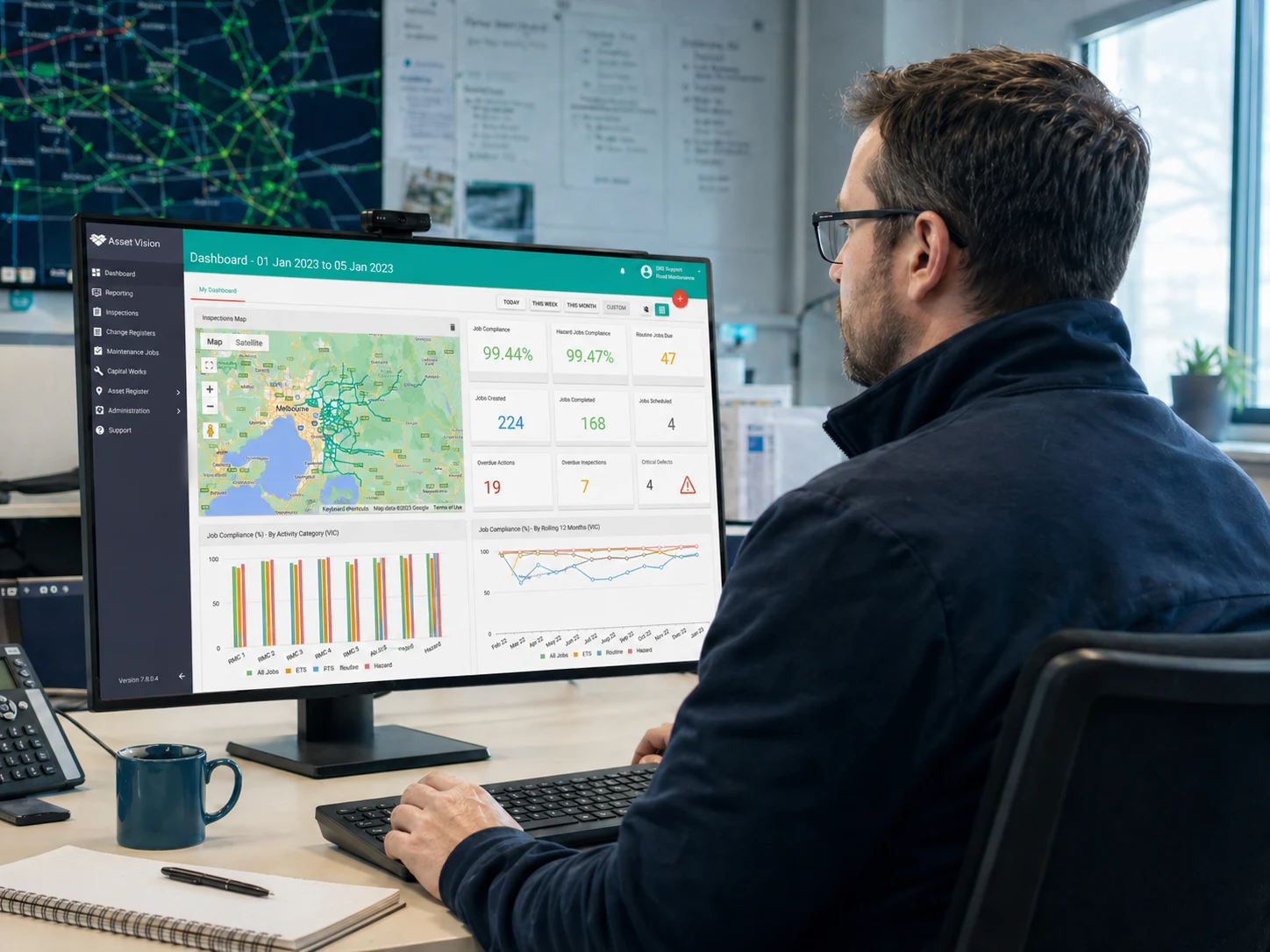
Connect inspection evidence with the team and workflows responsible for delivery.
Deliver in Asset Vision
Use connected jobs, field delivery and configured review workflows.
Export confirmed findings
Transfer a batch for use in your existing maintenance system.
Connect through an API
Exchange evidence and work data through a scoped integration.
BUILT FOR REAL INSPECTION NEEDS
Evidence that works
across the asset lifecycle.
For councils, road authorities, contractors and network operators managing roads and pathways.
Routine inspections
Capture corridor condition consistently and review findings efficiently across planned routes.
Targeted maintenance
Combine verified findings, imagery and Ride Quality to focus assessment and maintenance effort.
Disaster recovery evidence
Compare available pre-event and post-event imagery to support damage assessment and evidence preparation.
Works & contractor verification
Review captured condition alongside completion records to investigate work quality and changes.
Enquiries & investigations
Retrieve location-linked current and historical evidence to support responses and investigations.
Planning & renewals
Use visual history and network observations alongside engineering assessments, costs and investment plans.
PRACTICAL TO DEPLOY. CONNECTED TO YOUR SYSTEMS.
Start with the inspection
workflow you need.
Use AutoPilot with the wider Asset Vision platform or as an inspection solution alongside your existing systems. Configure routes, access and delivery to suit your operation.
Supported hardware
A compatible iPhone, secure mounting and cooling setup, with the AV Smart Button for spoken observations.
Offline field capture
Keep imagery on the device outside coverage. Cloud AI analysis follows upload when connected.
Controlled access
Use permissions to manage access to inspections, evidence and connected work.
A retained visual history
Revisit inspection evidence over time under the agreed retention arrangements.
Our Clients


IN PRACTICE
Built around real infrastructure teams.

Transport for NSW
Connected inspections, maintenance and compliance across a large state road network.

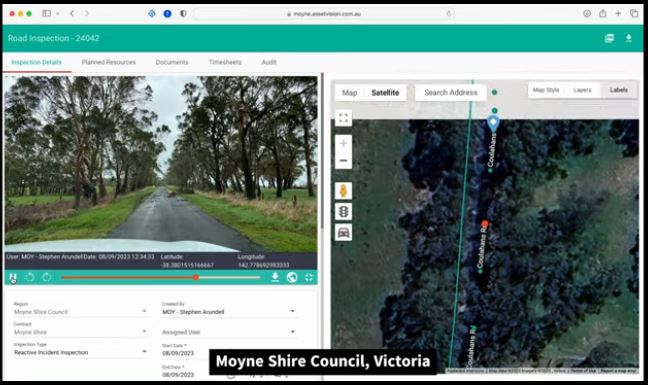
Moyne Shire Council
Visual inspection history supporting maintenance review and disaster recovery evidence.

Uralla Shire Council
Road and footpath inspection evidence to inform targeted maintenance and asset planning.
WANT TO KNOW
Clear answers before you get started.
What does the AV Smart Button do?
It records an observed issue with photographs, asset and location details, and spoken notes converted to text. It is a feature within the AutoPilot inspection workflow.
Does AutoPilot work without mobile coverage?
Imagery can be captured offline and uploaded when connectivity returns. AI analysis is performed in the cloud after upload.
Does every AI detection become a job?
Your team reviews potential detections and decides which need action. Related findings can be grouped into one work record where appropriate.
Can AutoPilot work with our existing system?
Confirmed findings can be delivered through Asset Vision, exported in a batch or exchanged through a scoped API integration.
How should we use Ride Quality and dimensions?
They add context for review and prioritisation. Detailed field measurements and specialist assessments can be captured where required for design, quantities or engineering decisions.
Can the imagery support DRFA evidence?
Available pre-event and post-event imagery can strengthen the evidence base. Eligibility and approval remain with the relevant recovery authority.
SEE AUTOPILOT IN ACTION
Bring your network.
See the workflow.
See how imagery, the AV Smart Button, AI and Ride Quality can support your inspections and maintenance decisions.
A useful demo starts with your operation.
- What do you need to inspect?
- What evidence do you need to keep?
- How should findings become work?
We will show the field capture, office review and delivery path that fits your team.
Book an AutoPilot demonstration
Tell us about your organisation and inspection needs.